The Instagram Messaging feature in AdvanceCM allows property managers and staff to communicate efficiently with guests directly within the platform. Whether you need to send booking confirmations or address guest inquiries, the messaging functionality in AdvanceCM provides a centralized, streamlined communication system.
This guide explains how to use the Instagram messaging feature in AdvanceCM to enhance your communication workflow and improve guest satisfaction.
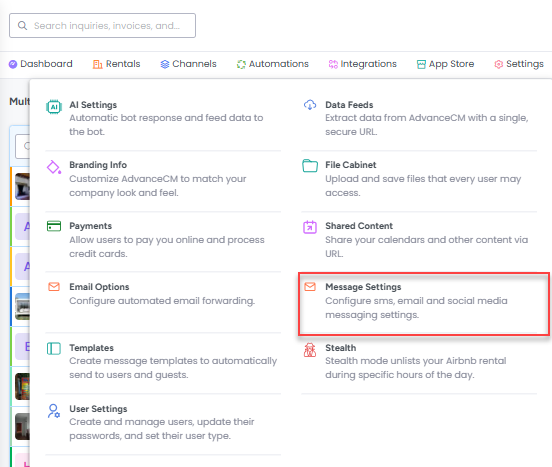
First, click on the Settings option in the top navigation bar, then on Message Settings as shown below.

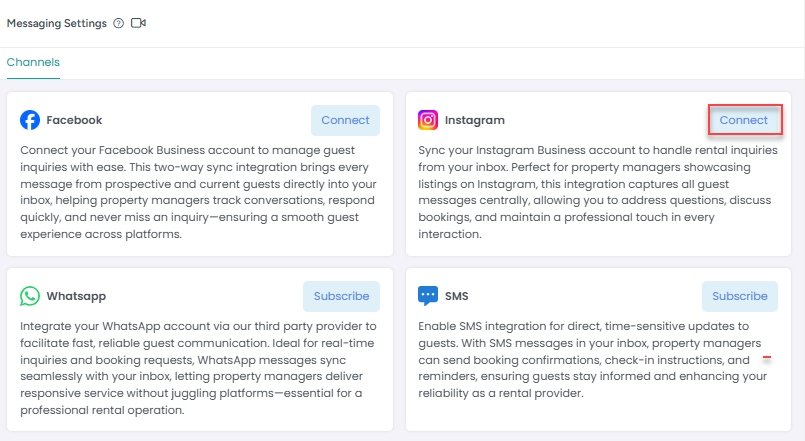
On the Message Settings overlay, locate the Instagram option and click on the Connect button next to it.

Click on Connect button and it open popup with option to Connect Instagram Now

Once you have successfully linked your Instagram business account to AdvanceCM, you will be able to message guests via Instagram.
Note: AdvanceCM users will need to initiate conversations with guests via Instagram from within AdvanceCM. Guests cannot initiate conversations from Instagram to users. Once an AdvanceCM user sends a message to guests via Instagram, then guests can use that platform to respond.
How to use Instagram when sending a message?
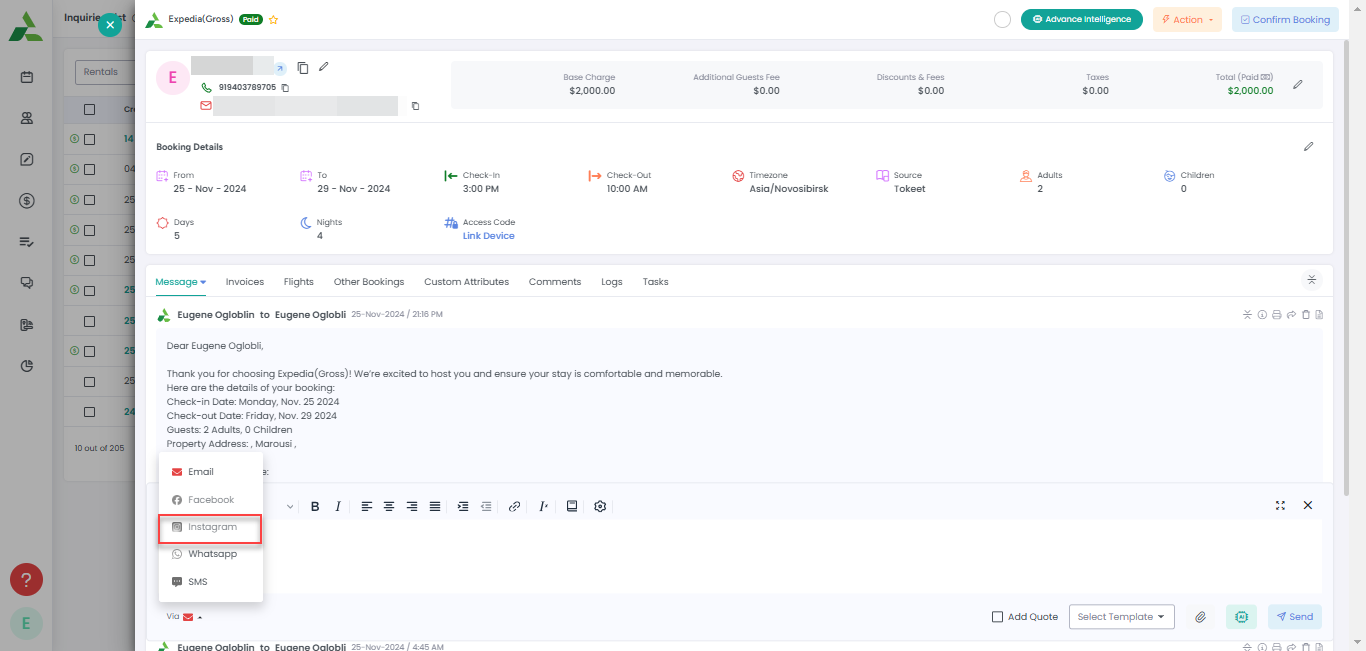
When you are responding to guests in the Inquiry Overlay or in the Inquiry Inbox, choose the Instagram option from the "Via" drop down as shown below.

You can see the Instagram icon as shown below if any message is sent or received via Instagram.
As always, please contact us with questions any time. We're happy to help.