Preferences typically refer to customizable settings that allow property managers in AdvanceCM to tailor their experience with the system. These preferences can determine how eDocuments are handled, viewed, and processed within the platform.
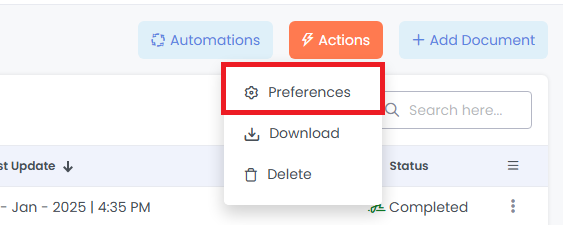
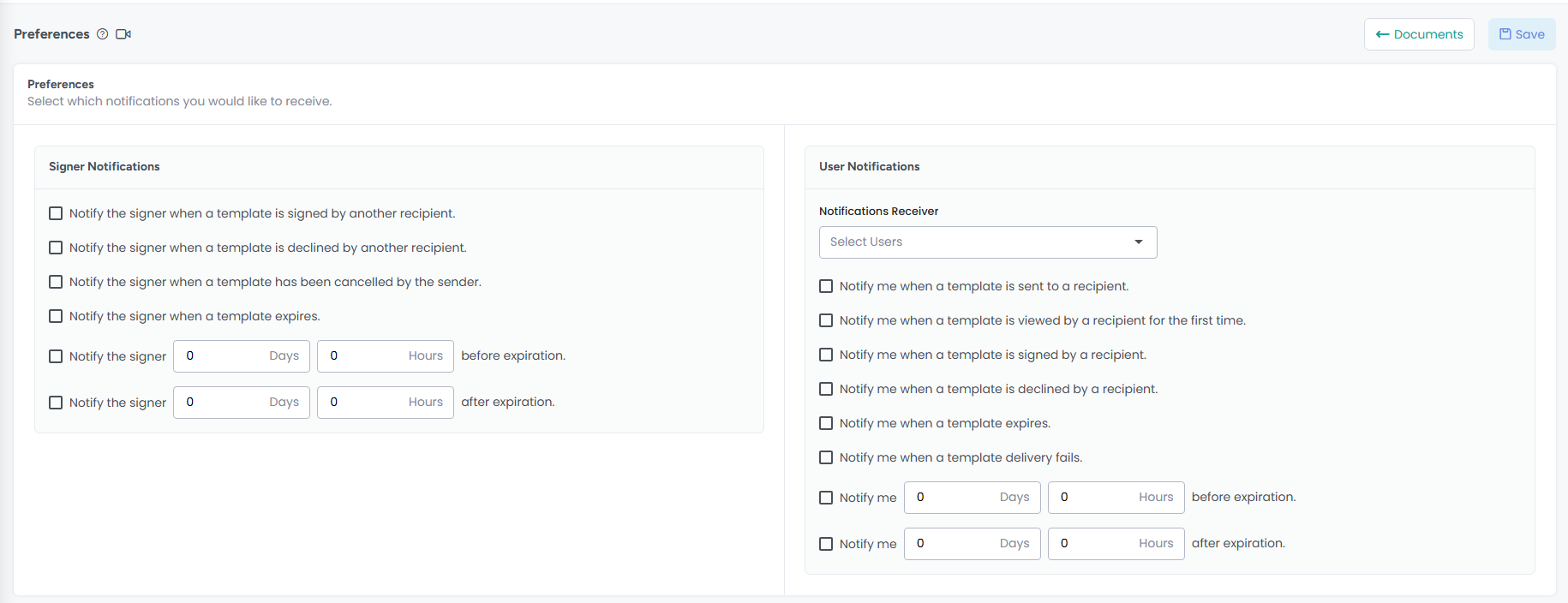
In AdvanceCM, you can find Document Preferences under the Actions button. In this section, you can set up email-based notifications both for Signers (individuals who will sign the document) and AdvanceCM Users (those using AdvanceCM).

1. Signer Notifications
This section allows you to configure multiple options for notifying a signer when specific conditions are met—for example, when a document is signed or declined.
You can also set time-based notifications to alert the signer a specified number of days and hours before or after the document expires. All notifications are sent to signers via email.

2. User Notifications
In the User Notifications section, you can configure alerts for AdvanceCM users when key events occur—such as when a document is sent or is about to expire.
Like with signer notifications, you can also enable time-based notifications to notify users a set number of days and hours before or after a document expires. These notifications are also delivered via email.

Email Notification Templates
Below are examples of the email templates sent by AdvanceCM:
Template sent to Users:

Template sent to Signers:

Please contact us with questions any time!